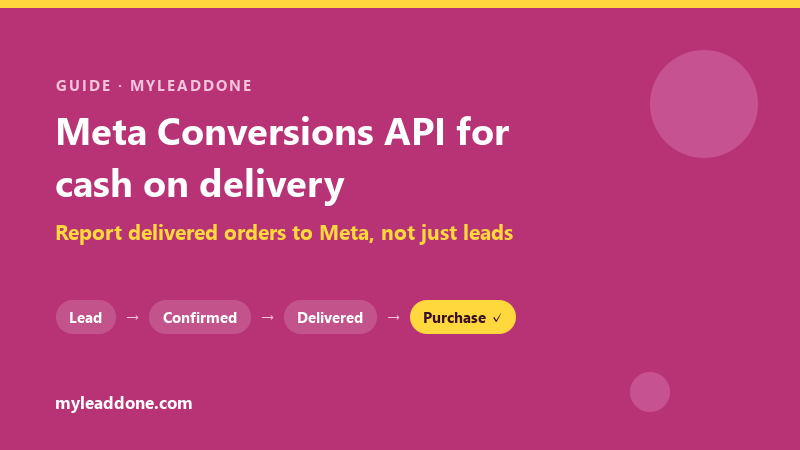
MyLeadDone now sends a Purchase event to your Meta dataset through the Meta Conversions API when a cash-on-delivery order is delivered — not when the customer fills in the order form. Your ad account hears about the orders that actually reached a customer and were paid for at the door, instead of stopping at the lead.
This article explains the problem the feature solves, how it fits into the MyLeadDone order workflow — import, phone confirmation, delivery follow-up, courier status — and exactly what is sent to Meta, and when. It describes the integration as it ships today, and links to Meta's own documentation wherever Meta-specific behavior is involved.
In Short: What the MyLeadDone Meta Integration Does
- Trigger: the order's status becomes Delivered — in COD, the moment the customer pays the courier. Nothing is sent when an order is created, cancelled, refused or returned.
- Event: one server-side Purchase per delivered order, with the order amount in MAD, sent through the Meta Conversions API to your own Meta dataset — the one behind your Meta Pixel.
- Matching: hashed customer information (phone number, name, city, country), plus the Facebook click ID, the Meta browser ID, IP address and user agent whenever the order carried them.
- Pixel: your Pixel keeps measuring what happens in the browser. MyLeadDone adds the delivered sale the browser can never see. It does not replace the Pixel.
- Safeguards: at most one Purchase per order, automatic retries on temporary errors, and a Meta ✓ marker on every order Meta has confirmed receiving.
The Hidden Problem With COD Advertising
Every COD advertiser knows the journey. Someone sees an ad on Facebook or Instagram, clicks, lands on a product page and fills in a short form: name, phone number, city. For the ad platform, that form is usually the finish line. The Pixel fires, a conversion is counted, and the campaign learns that this kind of person "converts".
In cash on delivery, the form is where the real work starts. The order still has to be confirmed, handed to a courier, delivered — and paid for, in cash, at the door. Days pass between the click and that final moment, and many orders never get there: the number is wrong, the customer changes their mind, the parcel is refused.
The ad platform sees none of it. Its feedback loop breaks at exactly the point where COD becomes risky.
Figure 1 — The traditional COD funnel
- ClickThe visitor lands on the product page
- Order form submittedThe Pixel reports a conversionMeta's view usually stops here
- COD order createdNot yet confirmed
- ConfirmationReal intent and a correct address — or not
- Delivery and cash paymentThe only step that produces revenue
The result is a quiet but expensive distortion. A campaign that produces many cheap forms looks like a winner, even if few of those forms turn into delivered parcels. A campaign that brings fewer but more serious buyers looks weaker than it is. And when the ad account's automated delivery is steered toward "people who submit forms", it is steered toward the wrong outcome for a COD business.
Why a Lead Is Not a Sale in Cash on Delivery
In a prepaid store, the conversion and the payment happen together: the card is charged at checkout. COD separates them, and every stage in between loses orders:
- A lead is not necessarily an order. Duplicate submissions, fake or mistyped numbers and curiosity clicks all look like conversions to a browser.
- An order is not necessarily confirmed. Some customers cannot be reached; others cancel when they are called.
- A confirmed order is not necessarily delivered. Customers are absent, change their mind or refuse the parcel.
- A delivered order is the closest thing COD has to a completed sale. The customer has the product, and the courier has the cash.
| Stage | What it proves | Money collected? |
|---|---|---|
| Lead (form submitted) | Someone was interested enough to type a phone number | No |
| COD order | The submission is a usable order | No |
| Confirmed order | A real person confirmed the product and the address | No |
| Delivered order | The customer received the product and paid | Yes |
Put simply, "someone submitted a form" and "someone submitted a form, received the product and paid for it" are two very different facts. Only the second is a sale. An advertising system can only learn from the facts it is given — so which one you report to Meta matters.
What Is the Meta Conversions API?
The Meta Conversions API (CAPI) is a server-to-server connection that lets a business send conversion events from its own systems directly to Meta, instead of relying only on code running in a visitor's browser. Meta describes it as a connection between an advertiser's marketing data — "such as website events, app events, business messaging events and offline conversions" — and "Meta systems that optimize ad targeting, decrease cost per result and measure outcomes" (Meta for Developers).
Three ideas are worth knowing:
- Events. Each conversion is sent as a named event. Meta's standard Purchase event means a purchase was made and requires a value and a currency; a Lead means a sign-up was completed (Meta standard events).
- Customer information for matching. To connect an event to a person on Facebook or Instagram, it carries customer information. Personal fields such as phone number, name, city and country are normalized and hashed with SHA-256 before sending, while browser identifiers such as the click ID and browser ID cookies are sent as they are (customer information parameters).
- Offline events. Not every sale happens on a website. Meta calls the Conversions API its "recommended integration method for sending offline and physical store events to Meta for use in ad measurement, attribution, and targeting" (offline events).
That last point is the one that matters for COD. A delivered COD order is a sale completed in person, at the customer's door, days after the click. It is exactly the kind of conversion a browser cannot report — and a server that knows the delivery outcome can.
Meta Pixel and Conversions API: How They Work Together
The Meta Pixel and the Conversions API are complementary, not competing. The Pixel is code on your store's pages that reports what visitors do in their browser, such as viewing a product or starting checkout. The Conversions API reports events from a server — here, MyLeadDone's — including events that happen long after the visitor has left the site.
Meta recommends using both: "For optimal ad performance, we recommend that advertisers implement the Conversions API alongside their Meta Pixel" (Meta for Developers).
Figure 2 — Pixel and Conversions API, side by side
In the browser
- Your store pageShopify, YouCan or your own site
On the server
- MyLeadDoneThe order is confirmed, shipped and delivered
↓
- Measurement, attribution and ad deliveryBrowser signals plus the delivered sale
| Meta Pixel | Conversions API via MyLeadDone | |
|---|---|---|
| Where it runs | The visitor's browser | MyLeadDone's servers |
| What it can see | Visits, product views, checkout, form submission | Confirmation and delivery outcomes |
| Right event for COD | ViewContent, InitiateCheckout, Lead | Purchase |
| When it fires | During the visit | When the order is delivered, days later |
| Browser limitations | Exposed to ad blockers and connection issues | Not dependent on the browser |
Does the Conversions API Replace the Meta Pixel?
No. MyLeadDone does not install a Pixel and does not remove yours. Keep your Pixel for browsing and checkout events; MyLeadDone adds a server-side Purchase for the one event the browser cannot see — the delivered order.
One Adjustment: Where Your Pixel Fires "Purchase"
Many COD stores fire the Pixel's Purchase event as soon as the order form is submitted, because that is the last moment the browser is involved. Once MyLeadDone reports a Purchase at delivery, that setup counts every delivered order twice — once as a form, once as a sale — and still counts every form that never became a sale. The two events cannot be merged by Meta's deduplication, because they are separate events recorded days apart.
The fix is simple: change the Pixel event fired on form submission to Lead or InitiateCheckout, and let the delivered Purchase come from MyLeadDone. Each event name then tells the truth about what happened.
How MyLeadDone Closes the COD Conversion Loop
Most Conversions API integrations answer one question: how do we send an event to Meta? For COD, that is the easy part. The hard part is knowing which orders deserve to be reported as sales — and that knowledge only exists where orders are confirmed, followed up and delivered.
That is where MyLeadDone already works. It imports the order, has operators confirm it by phone, keeps the customer informed on WhatsApp, follows the parcel with the courier and records the delivery. The Meta integration connects the last step of that operational pipeline back to the first step of the advertising funnel.
Figure 3 — The closed-loop COD funnel with MyLeadDone
- Order form submittedPixel event: Lead
- Order imported into MyLeadDoneFrom Shopify, YouCan, Google Sheets or the API — with click identifiers when available
- Confirmation call by an operatorProduct, quantity and address verified
- WhatsApp updates and delivery follow-upConfirmed and shipped messages, follow-up calls when a delivery stalls
- The courier delivers, the customer paysThe status arrives from the delivery company
- Order marked DeliveredThe COD sale is real
The value is not in the API call. It is in everything that happened before it: every Purchase MyLeadDone sends has passed through a confirmation call, courier tracking and a recorded delivery. MyLeadDone connects advertising → acquisition → confirmation → follow-up → delivery → conversion feedback in a single workflow.
The Complete Workflow, Step by Step
1. Acquire: the Order Enters MyLeadDone
Orders arrive from the sales channels a store already uses:
- Shopify, through an order-creation webhook.
- YouCan, through a script added to the store.
- Google Sheets, where a sheet script sends each new row.
- A custom store, through the MyLeadDone orders API.
At import, MyLeadDone also keeps the advertising identifiers that later let Meta connect the sale to the ad click: the Facebook click ID (fbclid), the _fbc and _fbp cookie values, and the shopper's IP address and user agent when they are available. On Shopify they are read from the landing page URL and from the order's note attributes, where many COD form apps store them. On Google Sheets you can map optional columns for them, and the orders API accepts them as fields. They are stored exactly as received, because a single altered character in a click ID breaks attribution.
2. Confirm: a Real Conversation Before Anything Ships
Every order is confirmed by phone. MyLeadDone operators call the customer, confirm the product, quantity and delivery address, and record the outcome — confirmed, no answer, unreachable, wrong number, postponed or cancelled. They can also confirm an upsell during the call. A repeat order from the same phone number within 48 hours is flagged, so operators can catch duplicates before anything ships twice, and an order that still cannot be confirmed after the three-day confirmation window is closed as unconfirmed. It never reaches a courier.
WhatsApp supports the call; it does not replace it. When a first-day call goes unanswered, the operator follows up with a prepared WhatsApp message. Once the order is confirmed, the customer receives an automated WhatsApp confirmation (when WhatsApp notifications are enabled for the store), and the parcel is created with the store's delivery company.
3. Follow Up: Keeping the Delivery on Track
Confirmed orders move into delivery tracking. When tracking starts, the customer receives an automated WhatsApp message saying the order has shipped and that the delivery team will be in touch. Operators then follow each order day by day. When a courier status signals a problem — the customer not answering the driver, for example — the order joins the operators' follow-up list: they call the customer, send a WhatsApp message if the call goes unanswered, and coordinate with the delivery side until the parcel is delivered or definitively returned.
For a deeper look at this stage, see our guides to confirming COD orders and reducing COD returns.
The Moment an Order Becomes a Real Conversion
MyLeadDone is connected to Moroccan delivery companies such as Sendit, Ameex, Ozon, OLivraison and Digylog. Couriers report parcel statuses either instantly through webhooks or through status checks MyLeadDone runs several times a day. Each courier status is mapped to a MyLeadDone status, and only a status that means the parcel was delivered — in COD, handed over against payment — moves the order to Delivered. A status MyLeadDone does not recognize is never treated as a delivery. Operators can also record a delivery manually.
That single status change is the pivot of the whole system. It is the moment the COD sale becomes real, and it drives two things at once:
- it is when the store is charged under MyLeadDone's pay-per-delivered-order pricing, and
- it is when the Purchase event is queued for Meta.
Your billing and your advertising signal share one definition of success: a delivered order.
How MyLeadDone Sends the Purchase Event to Meta
When an order becomes Delivered and the store's Meta integration is active, MyLeadDone queues the event straight away and sends it from its servers to the store's own Meta dataset. Just before sending, it checks again that the order is still delivered. Sending the event as soon as the sale happens also follows Meta's best-practice guidance: "Sharing events when they happen can help your campaigns achieve the best results" (Conversions API best practices).
Figure 4 — The complete MyLeadDone data path
- Sales channelsShopifyYouCanGoogle SheetsStore API
- MyLeadDoneOrder, customer details, amount, products — and click identifiers when present
- Operators and WhatsAppPhone confirmation, customer updates, delivery follow-up
- Delivery companyParcel status by webhook or scheduled check
- Delivered orderThe COD payment has been collected
What the Purchase Event Contains
| Field | What MyLeadDone sends |
|---|---|
| Event name | Purchase |
| Event source | Offline event (action source "physical_store") — Meta's documented route for conversions completed away from the website |
| Event time | The moment the delivery was recorded |
| Value and currency | The order amount, in MAD |
| Order details | Order reference, products and quantities |
| Customer information, hashed (SHA-256) | Phone number in international format, first and last name, city (the courier's standard city name when available), country |
| Ad identifiers, unhashed as Meta specifies | Click ID (built from fbclid when needed), browser ID, IP address and user agent — when the order captured them |
| Event ID | A stable ID unique to the order |
Built-In Safeguards
- Only delivered orders. Pending, cancelled, refused, returned or out-of-stock orders never produce a Purchase.
- Once per order. Each delivered order is reported at most once, even if its status is saved twice or a send is retried.
- Automatic retries. Temporary errors such as network issues or rate limits are retried several times with increasing delays. If Meta rejects the access token, sending pauses and the integration asks you to reconnect.
- No event without a way to match it. An order with no amount, or with no usable identifier such as a valid phone number, is skipped and labeled with the reason.
- Verified, not assumed. An order shows Meta ✓ only after Meta has confirmed receiving its event; a delivered order without that confirmation shows Meta —. A Meta history page lists every event as sent, pending, failed or skipped.
- A private token. Your access token is encrypted, sent to Meta only in a secure request header, and never displayed again after you save it.
Setting It Up
- In Meta Events Manager, open the dataset (Pixel) your ads use and copy its dataset ID.
- In that dataset's Settings, under Conversions API, generate an access token.
- In MyLeadDone, open Integrations → Marketing & Publicité → Meta Ads, paste both values and save.
- Optionally, add a test event code from the Test events tab in Events Manager, so the test is visible in Meta without being counted.
- Click Tester & activer (test and activate). MyLeadDone sends an event based on a real delivered order from your store and switches sending on if it succeeds — so you need at least one order delivered in the last two months. Without a test code, that first event is a real Purchase for your latest delivered order.
Why Delivered-Order Signals Matter for Meta Ads
Meta's ad system learns from the conversions it receives and can connect to people. When the only conversion is a form, a campaign is rewarded for producing forms. Adding the delivered Purchase changes what the ad account can see in three ways:
- Measurement. You can see how many delivered purchases, and how much delivered revenue, your ads are associated with — not only how many forms they produced.
- Attribution. When a delivered order carries a click ID or matches a person Meta recognizes, the sale can be credited to the campaign and ad that drove it.
- Optimization. Meta's Business Help Center presents the Conversions API as a way to optimize for actions that happen later in the customer journey. In COD, the delivered purchase is that later action.
What this does not do is guarantee a result. Meta does not promise a specific improvement from the Conversions API, and neither do we. How much a store benefits depends on its order volume, how many orders carry click identifiers or match a Meta account, and how its campaigns are configured. What changes for certain is the quality of the information: Meta hears about sales that happened, not only about intentions. It is the same principle behind measuring delivery rate by acquisition source instead of cost per order.
A Practical COD Example
The figures below are a hypothetical illustration, not MyLeadDone results. They show how the picture changes when Meta receives delivered purchases instead of forms.
A store spends 30,000 MAD on Meta ads in a month. The campaigns generate 1,000 order forms. Once duplicates, fake numbers and unusable submissions are removed, 700 are valid orders. Operators confirm 500. Couriers deliver 320.
| Funnel stage | Orders | Ad cost per order |
|---|---|---|
| Order forms (leads) | 1,000 | 30 MAD |
| Valid orders | 700 | ≈ 43 MAD |
| Confirmed orders | 500 | 60 MAD |
| Delivered and paid | 320 | ≈ 94 MAD |
If the Pixel reports every form as a Purchase, Meta believes the store made 1,000 sales at 30 MAD each. In reality it made 320 sales at about 94 MAD each — the signal overstates sales more than threefold. Now split the same month across two campaigns with equal budgets:
| Campaign A | Campaign B | |
|---|---|---|
| Ad spend | 15,000 MAD | 15,000 MAD |
| Order forms | 600 | 400 |
| Cost per form | 25 MAD | 37.50 MAD |
| Delivered orders | 150 | 170 |
| Cost per delivered order | 100 MAD | ≈ 88 MAD |
Judged on forms, Campaign A wins easily: its leads are a third cheaper. Judged on delivered sales, Campaign B wins: it produced more paying customers for the same budget. A lead-only signal pushes budget toward A. A delivered-purchase signal gives Meta — and you — the information needed to see that B is the better campaign.
What Ecommerce Vendors Should Check Before They Start
- Connect your own dataset. Use the dataset (Pixel) your ad account actually works with. MyLeadDone never uses a shared pixel.
- Rename the form-submission event. If your Pixel fires Purchase when the form is submitted, switch it to Lead or InitiateCheckout so sales are not counted twice.
- Carry click identifiers into the order. Attribution is strongest when the order includes the fbclid, _fbc or _fbp values. Shopify orders from COD form apps that store the landing URL or these values in note attributes are captured automatically; on Google Sheets, map the optional columns; with the orders API, send the fields. On YouCan, only a click ID still present in the page URL can be recovered today. Without click identifiers, matching relies on the hashed phone number and customer details.
- Make sure the dataset accepts offline events. Meta only accepts offline events through the Conversions API on an eligible (consolidated) dataset. The MyLeadDone integration shows a warning when it is not.
- Test first. A test event code lets you see the event in Events Manager before real Purchases are counted.
- Know what is not sent. Cancelled, refused and returned orders send nothing, and orders delivered before you activate the integration are not sent retroactively.
FAQ: Meta Conversions API for Cash on Delivery
What is the Meta Conversions API (CAPI)?
What is Meta CAPI for COD ecommerce?
Why is the Conversions API important for cash on delivery?
What happens when a COD order is delivered in MyLeadDone?
How does MyLeadDone send Purchase events to Meta?
What is the difference between a lead and a delivered order?
Why should ecommerce stores send Purchase events to Meta?
How does MyLeadDone close the COD conversion loop?
Does MyLeadDone replace the Meta Pixel?
How does the Conversions API work with Meta Ads?
Are cancelled, refused or returned orders sent to Meta?
Is customer data protected when it is sent to Meta?
Report the orders that really paid
Already a MyLeadDone client? Connect Meta Ads from your Integrations page. New to MyLeadDone? Start with 10 free orders — phone confirmation, delivery tracking and delivered-order reporting to Meta in one workflow.
Start FreeSources
This article describes the MyLeadDone Meta integration as shipped in September 2026. Meta-specific behavior is based on Meta's official documentation:
- Meta for Developers — Conversions API overview
- Meta for Developers — Offline events through the Conversions API
- Meta for Developers — Server event parameters
- Meta for Developers — Customer information parameters
- Meta for Developers — Deduplicating Pixel and server events
- Meta for Developers — Conversions API best practices
- Meta for Developers — Meta Pixel standard events
- Meta Business Help Center — About Conversions API
Stop losing orders to fake clicks and missed calls
MyLeadDone confirms every COD order by phone, in Darija, Arabic or French — and you only pay for orders that get delivered.
Start Free — 10 Orders